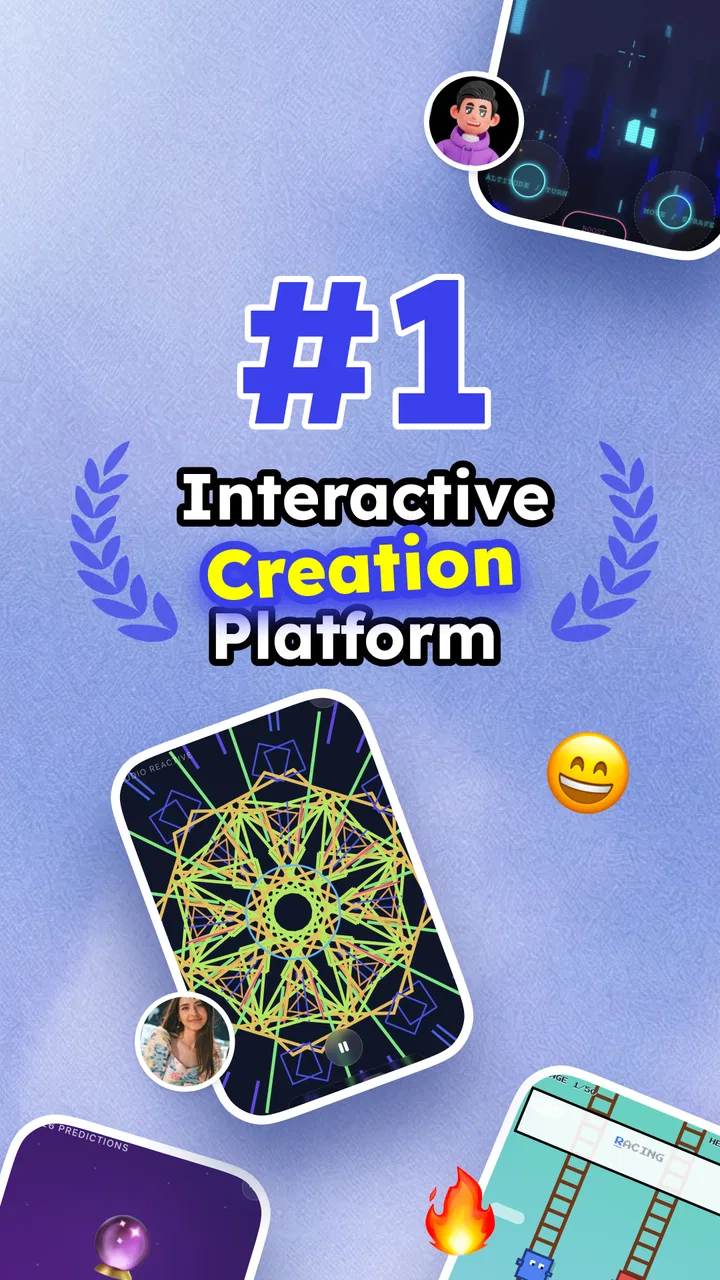
Sekai: Create · Remix · Play
- 4.6
- Rating
- 5.00M
- Installs
- Free
- Price

 Analysis by App-foxy
I tried Sekai: Create · Remix · Play as the kind of entertainment app that can turn a spare few minutes into a small creative project. It is built around making interactive games, quizzes, and mini apps without coding, so the appeal is not just watching or scrolling. You get to shape something, test it, and hand it to someone else to try. That makes it especially interesting on a shared household device, where one person can create a quick challenge and another can play it later.
My first impression was that Sekai sits somewhere between a casual game platform, a lightweight creative tool, and a social activity starter. It is free, belongs to the entertainment category, and comes from Sekai. The current version is 1.60.1, and it supports Android 7.0 or later. Those details make it accessible to many older phones and tablets, although the experience still depends on how comfortable each person is with experimenting inside an unfamiliar app.
How Sekai works when several people share the same device
I find a shared-device session works best when the handoff is part of the plan, not an afterthought: decide who is creating, who is testing, and when the device changes hands. That small routine helps keep a playful experiment from turning into accidental edits, and it gives the next person a chance to judge the activity without being coached through every choice.
You May Also Like

 Google Keep - Notes and lists
Google Keep’s Quiet Growth Shows the Appeal of Simpler Notes
As mobile work gets busier, Google Keep keeps winning a simple contest: capture a thought quickly, find it later, and get on with the day.

 Blood Strike: 2.5 Anniversary
Blood Strike’s Loadouts Turn Every Drop Into a Tactical Gamble
A close look at Blood Strike’s custom loadouts: how fast access to signature weapons reshapes its battle royale rhythm, rewards preparation, and narrows the gap between fights.

 Pandora - Music & Podcasts
Pandora’s Music Is Easy to Start, but Harder to Recover
Pandora’s strength is its low-effort path from a seed to a station. Its weak spot is how much confidence it asks you to place in connection, setup, and quiet recovery.

 8 Ball Pool
 Is Built on Rivalries, Rematches, and Routine
A close look at the rivalries, rematches, shared routines, and unanswered safety questions that turn a quick pool match into a persistent mobile community.

 Samsung Music
’s Quiet Strength Is Playing What You Already Own
Its reach comes less from spectacle than from dependable access to a personal library. That simplicity is both the app’s strongest retention engine and its ceiling.

 AccuWeather: Weather Radar
AccuWeather Review: A Quick, Clear Forecast for Everyday Decisions
For everyday plans, the best forecast is the one you can understand quickly. AccuWeather makes rain timing, radar, and local conditions easy to act on, with a few trade-offs.
More From Our News Desk



A useful living-room scenario
The most convincing household use I found was not a long solo session. It was a short handoff between people. Imagine one person creating a quiz about a recent trip, a favorite film, or an inside joke, then leaving the device for someone else to play. The creator gets the satisfaction of building the activity, while the other person gets something more personal than a random quiz from a large catalog.
This also works for a quiet evening when nobody wants to commit to a full board game. A child or teenager can suggest the theme, an adult can help shape the questions, and everyone can take turns trying the result. Sekai is at its best in this role because the creation process gives the group something to discuss before the actual play begins.
I would not treat it as a replacement for a complete multiplayer game. Its strength is the quick, homemade activity rather than deep progression, elaborate competition, or a large set of established rules. If your household wants a polished game that everyone can start immediately, a conventional title will usually be smoother. Sekai is better when the act of making the activity is part of the fun.
What the no-code idea means in practice
The no-code approach lowers the barrier for people who have ideas but no programming background. You do not need to learn a development language before trying to make a small interactive experience. That is valuable for a teenager who wants to turn a school topic into a quiz, or for an adult who wants to prepare a playful challenge for friends.
Still, “no coding” does not mean “no thinking.” You remain responsible for the wording, order, difficulty, and clarity of what you create. A quiz can feel confusing if its questions are too similar, and a mini app can lose its appeal if the purpose is not obvious. Sekai removes the technical wall, but it does not remove the need for good instructions and sensible design.
My practical advice is to begin with one clear goal. Instead of trying to build a large collection of activities, make something that can be understood in a minute. A short quiz with a recognizable theme is easier to test on another person. If they hesitate, ask what confused them rather than immediately adding more content. That small feedback loop is where the app becomes more rewarding than a simple content viewer.
Keeping shared use organized
Shared-device use brings a small but important challenge: people need to know whose activity they are opening and what they are allowed to change. I found it helpful to agree on a simple household routine before passing the device around. One person creates, another tests, and the original creator decides whether the result is ready to show more widely.
This matters because creative tools invite editing. A sibling may open a quiz intending to play it but accidentally change the experience, or someone may start a new project without telling the next user. Sekai can be enjoyable in a group, but the group still needs ordinary communication. I would label projects clearly with a short title and the creator’s name or initials, especially when several people use the same tablet.
That habit also makes it easier to return to unfinished ideas. A shared device often becomes cluttered with half-started experiments, and the problem is not the number of projects but the lack of context. A title such as “Movie quiz for Friday” is more useful than a vague name that only makes sense to the person who created it.
Setup boundaries before the first session
Because Sekai is aimed at interactive creation and play, I would set expectations before handing it to a younger family member. The app has a Teen content rating, so it is not something I would automatically treat as a child-focused environment. That does not make it unsuitable for every teenager, but it does mean an adult should understand the intended age context and decide whether it fits the household.
I would also avoid presenting the app as a private diary or a secure place for sensitive material. A homemade quiz may include names, jokes, school references, or family details, and those can become uncomfortable if shared beyond the intended group. The safest creative habit is to use fictional examples or harmless topics unless everyone involved is comfortable with the information being included.
For a shared tablet, I would start with a short supervised session rather than leaving a new user alone to explore everything. This is not because the creative concept is difficult, but because the boundaries of a project are easier to explain while someone is present. Show the difference between making something and playing something, then agree on which activities are appropriate for the household.
Another useful boundary is time. Sekai can encourage repeated tweaking because there is always one more question, one more variation, or one more idea to try. For a family evening, I would set a small creation window and a separate play window. That prevents the builder from spending the entire session polishing while everyone else waits.
Coordinating creation without taking over
The best shared results came from dividing responsibilities rather than letting one person control every decision. One person can choose the topic, another can check whether the instructions make sense, and a third can play without being told the answers in advance. This turns testing into a genuine part of the activity instead of a formality.
There is a useful trade-off here. If the creator explains every detail, the tester may simply follow directions and fail to reveal confusing parts. If the creator says nothing, the tester may not know the basic goal. I prefer giving only the minimum starting instruction, then watching where the player hesitates. That shows whether the activity communicates clearly on its own.
Sekai is also a nice fit for households with different interests because the format can change from one session to the next. A person who dislikes competitive games may enjoy making a trivia activity. Someone who prefers storytelling can focus on a themed mini app. Another person may only want to play. The app does not require everyone to participate in exactly the same way, which is a genuine advantage on a shared device.
However, coordination can become frustrating if the household expects instant results. The creator may need several attempts before the activity feels right, and the first version may be less entertaining than expected. I would treat early projects as prototypes rather than performances. That mindset makes mistakes less embarrassing and gives the creator permission to simplify or start over.
Age, trust, and the social side of sharing
The Teen rating is important because Sekai’s creative freedom means the quality and appropriateness of an activity depend heavily on what users make and share. In a household, I would pay attention not only to the app itself but also to the themes people introduce into it. A quiz about family memories can be harmless, while a quiz involving personal information or humiliating jokes may not be.
Trust should work in both directions. Younger users should know that an adult may want to see what is being created, while adults should avoid rewriting everything simply because they would choose different wording. The goal is to help with judgment and safety, not to remove the sense of ownership that makes creative apps appealing.
I would be particularly careful with activities intended for people outside the home. A project designed for close friends may contain references that outsiders do not understand, and a joke that feels acceptable in a private group may not travel well. Before sharing anything more broadly, ask who will see it, whether the questions reveal personal details, and whether the intended audience can understand the instructions.
This is also why Sekai may not be the right choice for someone seeking a tightly controlled children’s experience. I would choose a more specifically child-oriented option when the priority is a clearly bounded environment with age-focused design. Sekai makes more sense for teenagers and adults who can discuss what they are creating and why it is suitable.
How it compares with ordinary entertainment apps
Compared with a streaming app, Sekai asks for participation instead of passive viewing. Compared with a standard quiz app, it gives the user a role in shaping the questions and presentation. Compared with a full game engine, it is far less intimidating for a quick experiment, though it is also not aimed at people who want detailed control over every technical element.
That middle position is both its identity and its limitation. If you want a ready-made catalog, you may find the creation step unnecessary. If you want to learn professional game development, Sekai will feel too lightweight. But if you want to turn an idea into a small interactive activity without spending weeks learning tools, it has a clear purpose.
I also think it compares favorably with generic conversation starters for shared use. A deck of questions can begin a discussion, but a custom quiz gives the group a reason to prepare something together. The trade-off is that the app requires someone to do that preparation. It creates more personal results than a random entertainment feed, but it is not as effortless.
Small workflows that make the experience better
My first recommendation is to test every activity with someone who did not help create it. The creator knows the intended answer and may overlook missing context. A fresh player reveals whether the wording is understandable, whether the pace feels natural, and whether the activity is actually enjoyable rather than merely clever.
My second recommendation is to design for the device being used. On a shared phone, keep text concise and avoid relying on long explanations. A tablet gives a group more room to look together, but people may still be standing several steps away from the screen. If an activity is meant for a family room, make the central instruction easy to read aloud.
Third, separate “knowledge difficulty” from “interaction difficulty.” A question can be hard because the subject is obscure, or it can be hard because the user does not understand what to do. Change only one of those at a time during testing. Otherwise, you will not know whether the problem is the content or the way the activity is presented.
Fourth, keep a deliberately short version of a larger idea. If a household creates a long quiz, make a compact edition for people who only have a few minutes. This is a practical way to reuse the creative work without forcing every player into the full experience. It also gives the creator a chance to identify the strongest questions and remove repetition.
Who should use it, and who should skip it?
I would recommend Sekai to curious teenagers, families who enjoy making their own activities, teachers or informal study groups looking for a playful format, and adults who want a low-pressure introduction to interactive creation. It is especially appealing if you like the idea of turning a personal topic into something another person can explore.
I would be less enthusiastic for someone who wants a polished, ready-to-play entertainment library with no setup. I would also skip it for a user who expects professional development tools, complex game systems, or complete control over technical behavior. The app’s value comes from speed and accessibility, not from replacing specialized software.
People who dislike sharing a device should think about the workflow too. Sekai can still be used alone, but its strongest household moments depend on passing the result to another person. If everyone wants a separate, private experience, a conventional single-player app may be a better fit.
Popularity and everyday confidence
The app has an average rating of 4.5 from around fifteen thousand ratings, with over one million installs and roughly sixteen hundred written reviews. Those figures suggest that the idea has reached a substantial audience and that many users find the basic concept worthwhile. I would still treat popularity as a starting point rather than proof that every household will enjoy it.
What matters more in daily use is whether your group is willing to create, test, and communicate. Sekai rewards that kind of participation. It feels less satisfying when opened with the expectation that it will immediately behave like a finished console game. The app becomes more convincing once you accept that the user is part of the content-making process.
My household verdict
After using it as an entertainment app rather than a serious development platform, I see Sekai as a flexible tool for small, shared experiences. Its biggest strength is the distance between an idea and a playable result: you can begin with a theme, shape it into an interactive activity, and invite someone else to respond. That is more engaging than simply choosing another item from a feed.
The main friction is equally clear. Good results depend on the creator’s judgment, and shared use requires boundaries around editing, personal information, age suitability, and who gets to see each project. The app does not remove those responsibilities; it makes them more visible. For a household willing to coordinate, that can become part of the fun. For a household looking for instant, perfectly polished entertainment, it may feel like extra work.
Since it is free and supports Android 7.0 or later, Sekai is easy to try without making it a major commitment. I would begin with one small activity, test it with another person, and decide from that experience whether the creative process fits your group. For me, the strongest reason to keep it installed is not the promise of endless content, but the chance to make something personal enough that another person actually wants to play it.
My final recommendation: Sekai is worth trying if your idea of entertainment includes creating, remixing, and handing an activity to someone nearby. Use it with clear household expectations, keep early projects simple, and remember the Teen context when deciding who should use it. With those limits in mind, it offers a refreshing alternative to passive entertainment and a gentler starting point than traditional game-making tools.
FAQs for Sekai: Create · Remix · Play
01What is Sekai: Create · Remix · Play?
Sekai: Create · Remix · Play is a dynamic app designed for creativity and interaction. Users can create their own digital experiences, remix existing content, and play with a variety of tools. It’s ideal for artists, developers, and gamers looking to explore new realms of creativity and share their innovations with a community.
02Is Sekai: Create · Remix · Play free to use?
Yes, Sekai is free to download and offers a range of features at no cost. However, there may be in-app purchases available for users who wish to access additional tools or premium content. These options provide enhanced capabilities for those looking to expand their creative projects.
03What platforms is Sekai available on?
Sekai: Create · Remix · Play is available on both Android and iOS platforms. You can download it from the Google Play Store for Android devices and the Apple App Store for iOS devices. It ensures accessibility across a wide range of smartphones and tablets, making it easy to dive into creative projects.
04What are the main features of Sekai?
Sekai offers a variety of features including a robust set of creation tools, the ability to remix other users' content, and a platform to play and share creations within a community. Users can explore a library of assets, collaborate with others, and participate in challenges to enhance their skills.
05Can I collaborate with other users in Sekai?
Yes, Sekai encourages collaboration by allowing users to work together on projects. You can invite friends or join community initiatives to co-create content. The app’s social features make it easy to connect with others, share ideas, and build on each other’s work for a richer creative experience.
Pros
- User-friendly interface for easy navigation.
- Diverse creative tools for unique projects.
- Strong community for sharing and feedback.
- Regular updates enhance features and stability.
- Cross-platform support for Android and iOS.
Cons
- Requires internet for full functionality.
- Some features locked behind paywall.
- Occasional lag on older devices.
- Complex projects can overwhelm beginners.
- Limited offline content creation options.

Sekai: Create · Remix · Play
Gallery